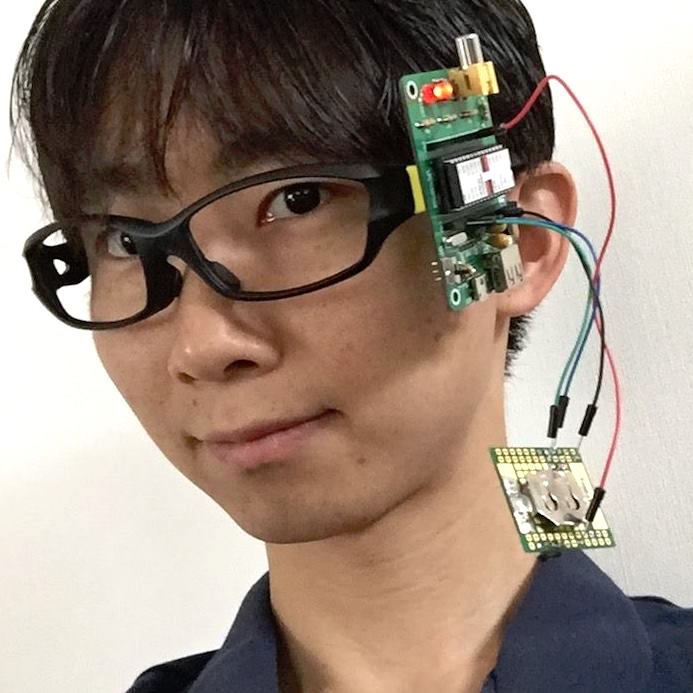
ARグラスシミュレーターで、姿勢まっすぐを支援するメガネを開発しました。

「PostureCorrrectGlass for WebXR」 src on GitHub
MetaQuestなどでご覧ください。加速度センサーでロール(左右の傾き)を長針、ピッチ(前後の傾き)を短針で表現し、まっすぐとの比較で自分の姿勢を把握できます。
ソースコードは下記のようにシンプル!
<!DOCTYPE html><html lang="en"><head><meta charset="UTF-8"><meta name="viewport" content="width=device-width, initial-scale=1.0, viewport-fit=cover">
<title>PostureCorrrectGlass</title>
<link rel="stylesheet" href="https://code4fukui.github.io/arglass-sim/style.css" />
</head><body>
<div id="app"></div>
<div id="scanlinesEl"></div>
<div id="vignette"></div>
<section id="launcher" class="hidden">
<h1>PostureCorrrectGlass</h1>
<p>Use WebXR AR when available, or start the fallback simulator.</p>
<div class="buttons">
<button id="startSimButton">Start Simulator</button>
<div id="xrButtonHost"></div>
</div>
</section>
<div id="touchHint">Drag to look around.</div>
<script type="module">
import { ARGlassSim } from 'https://code4fukui.github.io/arglass-sim/ARGlassSim.js';
import * as THREE from 'https://unpkg.com/three@0.164.1/build/three.module.js';
import { ARButton } from 'https://unpkg.com/three@0.164.1/examples/jsm/webxr/ARButton.js';
class ARGlassSimSimple extends ARGlassSim {
drawHudFrame({
ctx,
palette,
lineWidth,
relativeHeadingDeg,
displayHeadingDeg,
pitch,
pitchDeg,
roll,
rollDeg,
hh,
mm,
ss
}) {
const w = this.hudConfig.width;
const h = this.hudConfig.height;
ctx.clearRect(0, 0, w, h);
const color = this.hudColorString(palette.mesh, 1);
ctx.strokeStyle = color;
ctx.fillStyle = color;
//ctx.fillRect(0, 0, w, h);
const cx = w / 2;
const cy = h / 2;
const r = Math.min(w, h) * .5 * 0.9;
const drawLine = (x1, y1, x2, y2) => {
ctx.beginPath();
ctx.moveTo(x1, y1);
ctx.lineTo(x2, y2);
ctx.stroke();
};
const drawCross = (cx, cy, th, r) => {
const dx = Math.cos(th) * r;
const dy = Math.sin(th) * r;
const x1 = cx - dx;
const y1 = cy - dy;
const x2 = cx + dx;
const y2 = cy + dy;
drawLine(x1, y1, x2, y2);
};
drawCross(cx, cy, roll + Math.PI / 2, r / 5 * 4);
drawCross(cx, cy, pitch + Math.PI / 2, r / 5 * 3);
drawLine(cx, cy - r, cx, cy + r);
}
};
const sim = new ARGlassSimSimple({
THREE,
ARButton,
mount: app,
launcher,
touchHint,
xrButtonHost,
scanlinesEl,
controls: null,
valueLabelRoot: document,
});
sim.start();
</script>
</body>
</html>
RUN on ES-Jam
自分だけのARメガネアプリを作ってみましょう!